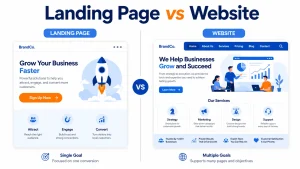
In today’s modern world, having a website for any type of business is no longer an option; it helps to grow trust, from a simple business to a brand, user-friendly for customers.
Before creating any website, it is important to consider its purpose. Whether you are opening an e-commerce platform or simply presenting your company, blog, or portfolio, the purpose of creating a website is crucial. Your goal is to define your objective and help you select the best platform for a business website. Choosing the right platform is important because it determines your flexibility, cost, performance, and overall user-friendliness. There are so many options available, such as Shopify, Wix, WordPress, and many more. I will break down the detailed guidelines to help you choose the best platform. Or you may get website development services from NBY SOFT. Their team will help you find the perfect platform for your business.
Why does it matter to choose the best platforms?
The right choice of platforms impacts some critical areas later. So you have to be careful before choosing a website builder platform.
Ease of use: Everyone wants a user-friendly interface to handle everything. Multiple platforms offer such features, and day by day, most of the companies try to offer a user-friendly interface. Because not all users are tech experts, nor do they wish to be. Every platform has a tutorial so you can learn easily to control your site.
Scalability: If it is your business website, you have to be careful about many things, such as starting small and letting traffic increase day by day. So you have to choose the right platform that can handle large-scale traffic and other loads.
SEO: Traffic is everything ultimately for website owners. So your chosen platform must have built-in SEO tools. I will discuss some platforms that have this feature.
Integrations: If you want to grow your business, relying on just one all-in-one platform isn’t enough. Even if you start small, you’ll eventually need tools for marketing, analytics, shipping, and more. Make sure your tools can work together—either built-in or using something like Zapier.
Flexible Design Templates: All the websites on this list come with flexible templates and design options. You don’t need to know any coding to create a professional, user-friendly website. You can experiment with multiple templates for your work
Payment Processing: Whether you sell products or services, you’ll need a way to accept payments. These website builders make it easy to accept online payments. No extra tools or extensions required.
Which platform is best for a business website
1. WordPress.org
Overview: WordPress.org is the world’s most popular content management system (CMS), powering over 40% of all websites globally. Unlike WordPress.com, WordPress.org is self-hosted, giving you full control over your website.
Pros:
- Highly Customizable: Thousands of themes and plugins let you create any type of website.
- Scalable: Ideal for blogs, portfolios, eCommerce stores, and corporate websites.
- SEO-Friendly: Plugins like Yoast SEO make it easier to optimize content.
- Large Community: Extensive support and resources available online.
Cons:
- Learning Curve: Beginners may need time to understand hosting, themes, and plugins.
- Maintenance Required: You’re responsible for updates and security.
Best For: Businesses that need flexibility, custom features, or plan to scale.
2. Wix
Overview: Wix is a drag-and-drop website builder that simplifies website creation without requiring coding knowledge. It’s ideal for small businesses or entrepreneurs who want a quick setup.
Pros:
- Ease of Use: Intuitive drag-and-drop interface.
- Design Flexibility: Hundreds of templates and customizable design options.
- All-in-One Solution: Hosting, SSL, and maintenance included.
- App Market: Add functionality like bookings, forms, and email marketing easily.
Cons:
- Less Scalable: Not ideal for huge or complex websites.
- Limited Control: You’re confined to Wix’s ecosystem and templates.
- Best For: Small businesses, personal brands, and startups looking for a simple, visually appealing website.
3. Shopify
Overview: Shopify is a leading e-commerce platform that allows businesses to set up online stores quickly and efficiently.
Pros:
- Built for eCommerce: Manage products, payments, shipping, and taxes easily.
- Secure & Reliable: Shopify handles security, hosting, and performance.
- App Ecosystem: Add apps for marketing, inventory, and customer support.
- Multi-Channel Selling: Sell on social media, marketplaces, and your website.
Cons:
- Monthly Costs: Subscription fees can add up, especially with apps.
- Limited Design Flexibility: Customization is not as extensive as WordPress.
Best For: Businesses focused primarily on selling products online.
4. Squarespace
Overview: Squarespace is a popular website builder known for its modern, polished designs. Creatives and small businesses especially favor it.
Pros:
- Beautiful Templates: Great for portfolios, restaurants, and boutiques.
- All-in-One Platform: Hosting, domain, SSL, and maintenance included.
- User-Friendly: Drag-and-drop editing without coding.
- Mobile Responsive: Templates are automatically optimized for mobile.
Cons:
- Limited Third-Party Integrations: Fewer plugins than WordPress.
- Less Flexibility: Not ideal for highly customized websites.
- Best For: Creative professionals, small businesses, and anyone who values aesthetics.
5. Weebly
Overview: Weebly is another beginner-friendly website builder with a simple drag-and-drop interface.
Pros:
- Affordable: A free plan is available, and paid plans are inexpensive.
- Easy Setup: Ideal for non-technical users.
- Integrated eCommerce: Good for small online stores.
- Responsive Templates: Works well on mobile devices.
Cons:
- Limited Features: Less flexibility and fewer advanced options.
- Basic Design Options: Templates are not as modern as Squarespace.
Best For: Minimal businesses, personal projects, or simple online stores.
Factors to Consider Before Choosing a Platform
1. Your Business Type
Service-Based Business: WordPress or Squarespace is ideal for showcasing portfolios and booking services.
Product-Based Business: Shopify is best for eCommerce, with WordPress + WooCommerce as a flexible alternative.
Blog or Content-Driven Business: WordPress dominates this space.
2. Budget
Consider both upfront costs and ongoing maintenance. Website builders like Wix and Squarespace include hosting, while WordPress requires separate hosting and security investment.
3. Design & Customization Needs
If your brand requires unique design elements, WordPress offers the highest flexibility. Squarespace is perfect for modern, minimalistic designs without coding.
4. Technical Skills
For non-technical users, Wix, Squarespace, or Shopify provide an easier setup. WordPress is more powerful but requires some technical knowledge.
5. SEO & Marketing
All platforms provide basic SEO tools, but WordPress has the edge with plugins like Yoast SEO and custom metadata options.
6. Scalability
If you anticipate rapid growth, choose a platform that can handle increased traffic, new pages, and advanced functionality. WordPress and Shopify excel here.
Conclusion
Choosing the right platform for your business website is a decision that can impact your brand’s online presence for years. For ultimate flexibility and scalability, WordPress.org is the top choice, offering unparalleled customization. For beginners or businesses wanting simplicity and a beautiful design, Wix or Squarespace are excellent options. If your primary goal is selling online, Shopify remains unmatched in eCommerce capabilities. Finally, for those with a tight budget or simple needs, Weebly can be a functional starting point.
Ultimately, the best platform depends on your business type, goals, budget, and technical comfort. Take your time, evaluate your options, and choose a platform that supports your growth and enhances your online presence.
-
Which platform is best for a small business website?
WordPress is one of the best platforms due to its flexibility, scalability, and cost-effectiveness.
-
Which platform is best for SEO and long-term growth?
WordPress is best for SEO and long-term growth because it offers full control over optimization and content.
-
What platform should I choose for an e-commerce business?
Shopify is ideal for e-commerce due to its ease of use, while WooCommerce (WordPress) is great for more control and customization.
-
Can ChatGPT build a website?
ChatGPT cannot build a full website, but it can help with design ideas, content, and step-by-step guidance.
-
Can I switch my website platform later if needed?
Yes, you can switch platforms, but it may require data migration, redesign, and some technical work.
-
How much does it cost to build a business website on different platforms?
Costs vary from $50 to $500+ for basic sites, while advanced or custom websites can cost $1,000 to $10,000+, depending on features and platform.